A profile picture is often displayed very small, so clarity, crop, and contrast matter more than heavy effects. The safest workflow improves presentation while keeping the person recognizable and natural.
Choose a suitable source
Use a sharp image with even light and enough space around the head and shoulders. Make sure you have permission from the person shown.
Simplify a distracting background
When the original environment competes with the subject, use the Background Remover and place the verified cutout on a simple background. Check hair, glasses, earrings, and clothing edges closely.
Enhance lightly
Use Image Enhancer to correct exposure, weak contrast, or mild softness. Avoid changing facial features, skin tone, age, body shape, or identity-relevant details.
Crop for circular and square displays
Keep the face near the center and leave space around hair and shoulders. Preview both a square crop and a circular mask because many platforms use one of these automatically.
Export several sizes
Keep one high-quality square master, then export lighter versions for the website, account profile, and social platforms. Do not repeatedly resize an already compressed small file.
Final review
Check the image at actual thumbnail size. Confirm eyes and expression remain clear, the background does not create a halo, and the result still accurately represents the person.
Review privacy, acceptable use, and digital delivery before uploading personal images.
Published example evidence
The images below are the currently published source file and its corresponding ImageAI result. They document this example and current tool output; they are not a guarantee that every image will produce the same result. Published dimensions: 1200 × 750.
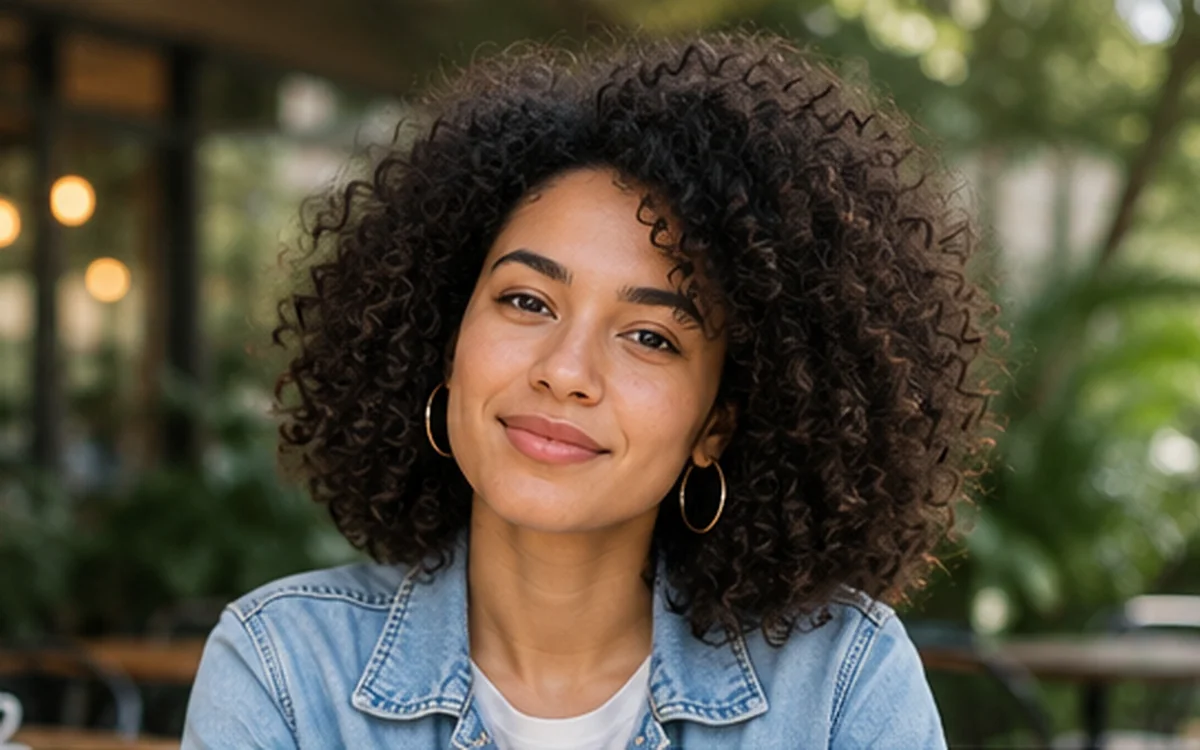
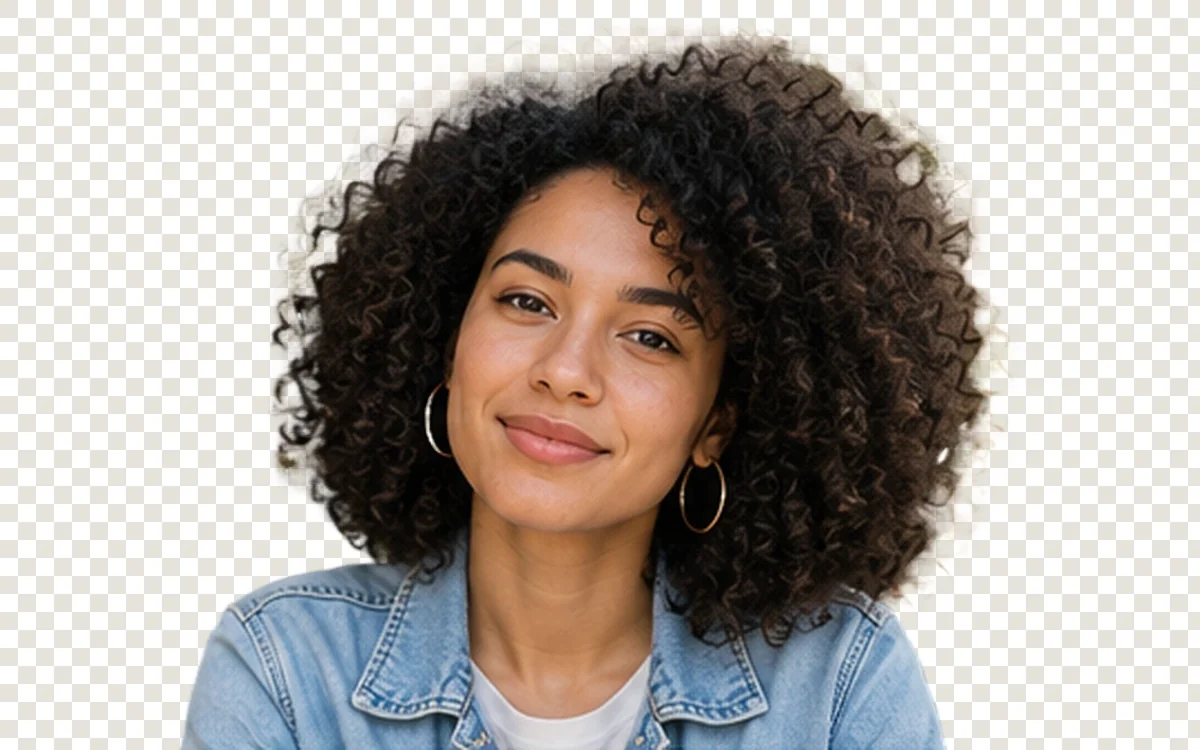
When reviewing your own result, inspect edges, text, texture, color, and transparency instead of judging only from a thumbnail.
Choose a source that can survive a small crop
Use a well-lit image with the face in focus and enough space around the head and shoulders. Avoid a tiny screenshot, a heavily compressed messaging-app image, or a source where hair blends into the background.
Remove only the distraction
Background removal should preserve the face, hair, clothing, glasses, earrings, and other identity details. After processing, inspect the cutout over both light and dark backgrounds. A clean edge on white can still show a halo on a dark profile header.
Review the final circular crop
Many profile surfaces display a circle even when the uploaded file is square. Preview the final crop and confirm that hair, shoulders, and any important context remain visible. Keep the face centered without zooming so far that the image feels uncomfortable or misleading.
Do not use enhancement to change identity
A small clarity or exposure correction may help, but avoid reconstructing facial features, removing permanent characteristics, or presenting a generated appearance as a documentary photo.
The published portrait background-removal example shows the edge checks used by ImageAI. Review the privacy and retention guide before uploading a personal image.